Following local content with RSS feeds
One of the challenges in keeping track of local news and information is that content is spread over many different websites and platforms. In a hypothetical local radio station we might want to follow other local media, organisations, politicians, sport clubs and more.
Fortunately it’s possible to follow many websites and some social profiles through RSS feeds. Instead of going to individual websites to check for updates you can use an app like NetNewsWire on the Mac to see a chronological list of the latest content from the websites you are interested in.
Although RSS feeds are not linked to on many websites nowadays, feed readers can often discover if there is a feed on a page.
To start following feeds with an application like NetNewsWire you can normally visit a page, copy the URL and paste it into NetNewsWire. If a feed is available it’ll be possible to follow it. Sometimes you’ll need to find the URL manually and add it in NetNewsWire - or your chosen app. If you have newsroom software it might already support following RSS feeds.
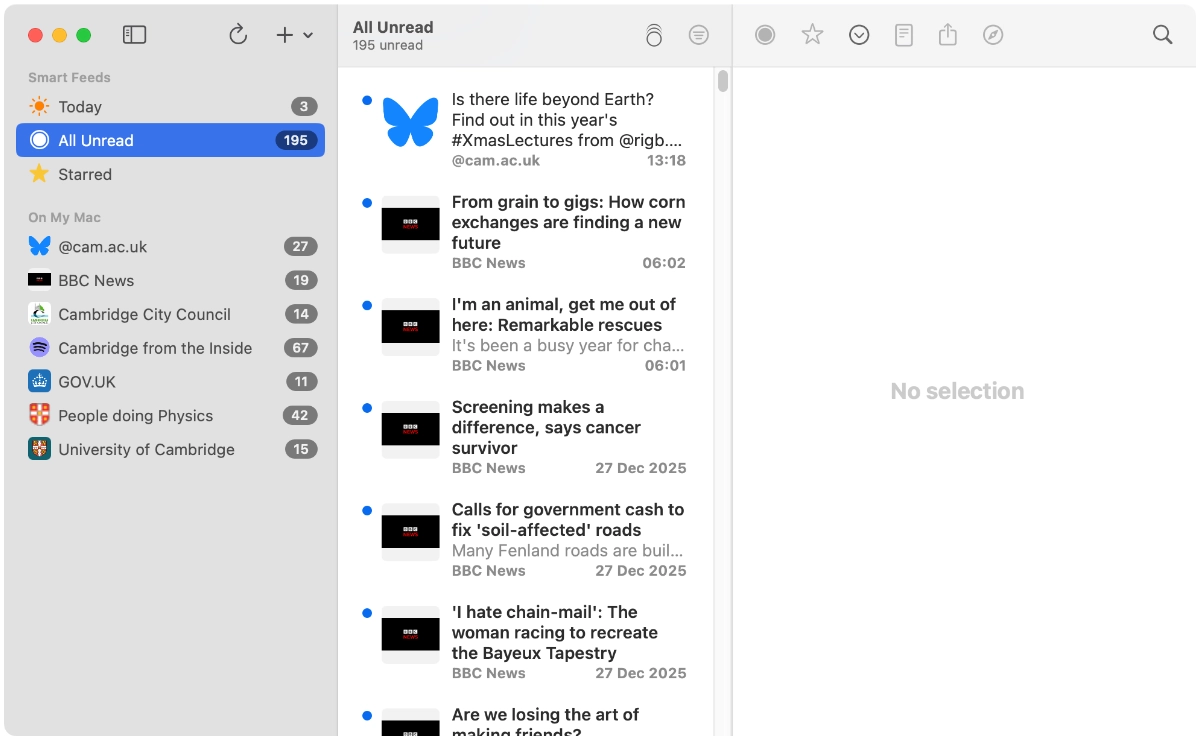
If there are websites and platforms we want to follow in a single place, but which don’t provide an RSS feed, we can turn to a service like inoreader.
Note: There are many other RSS apps, services and open source projects. Inoreader is just the app I use to bring local content into one place.
Following local sources with an RSS reader
In a hypothetical local newsroom it could be useful to follow local media, organisations, government and politicians, businesses and more. Bringing content together into a single place saves time compared to checking individual websites, social media platforms and inboxes.
It won’t be possible to follow every source with an RSS reader or platform like inoreader. There could be a local transport provider which posts service updates on Twitter only, for example.
These sources shouldn’t be used to “rip and read” content. But we could use the information as a starting point for something to look into.
It’s always worth following the link to the original item on the website in case the item has been modified, updated or deleted since it was picked up in an app from the RSS feed.
Local and national media
Local broadcasters, newspapers and blogs will often have an RSS feed. Some even have separate RSS feeds for different parts of the publication - such as for news, sport, business and culture. Organisations like BBC News and Sky News provide feeds, but some like Reuters don’t appear to.
Specialist publications can be worth following too. There might be a local music website or business magazine with a website containing articles.
Local sources (press releases)
At a local radio station in the UK you might want to get press releases and updates from local authorities (county, district, borough, town and parish councils), police, a fire and rescue service, the NHS and utility providers (gas, water and electricity networks).
Other non-government and commercial organisations could also be worth following, particularly local bus operators, railway companies, universities and schools. There’s also enterprise agencies and partnerships, local charities and entertainment venues.
While some posts will be press releases or news updates with information which can be used, like a press release warning of a road closure for emergency repairs, other content can be a jumping off point for us to contact the organisation.
Local sport clubs are worth following too for news and comings and goings of players and managers.
GOV.UK
In the UK the GOV.UK website has a large news and communications section. An RSS feed is provided and it’s possible to filter it with a keyword and order by newest first.
If we were interested in items about Cambridge we could enter Cambridge as the search term and follow the feed. But this will find items with any mention of Cambridge, e.g. if someone is quoted and their surname is Cambridge. So not every item will be relevant, but it can still be useful.
Politicians
It might be useful to know when a local MP has spoken in Parliament or asked a written question, perhaps raising a local issue. TheyWorkForYou is a great resource for this in the UK. On the profile page for the politician go to Speeches and Questions, then choose one of the sections and finally “get an RSS feed”.
Politicians often have their own websites too.
The Met Office
Again in the UK the Met Office provides RSS feeds with severe weather warnings.
YouTube
It’s possible to follow YouTube channels through RSS feeds. As councils upload their meetings and sport clubs upload press conferences and interviews it can be useful to see these with other local information.
There isn’t an RSS button on YouTube, so to follow a channel copy the URL and paste it into an RSS reader. Inoreader might prompt us to use its YouTube feature, but you can still follow the channel as a normal feed.
Bluesky
The social network Bluesky makes RSS feeds available for profiles. As with YouTube, copying the URL of the profile and pasting it into the feed reader is sufficient. In inoreader we don’t need to use the Bluesky integration unless we want to.
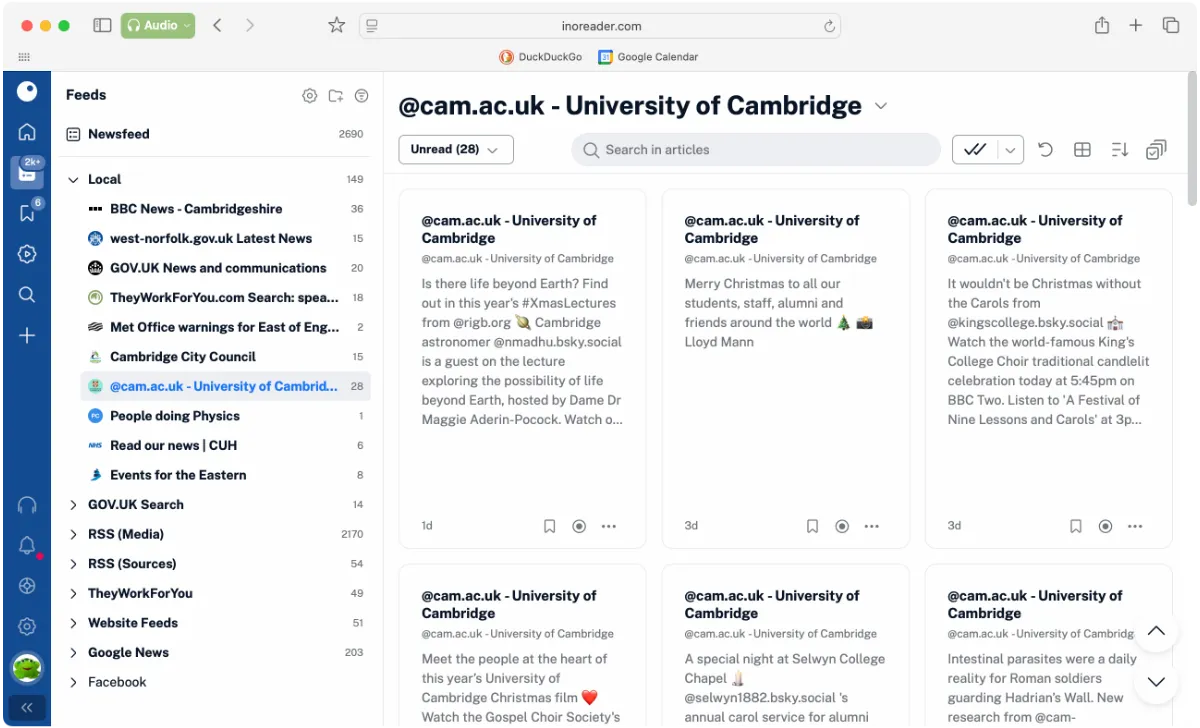
Some organisations are fairly active on Bluesky, but some seldom post or have stopped entirely.
Podcasts
Although many podcasts point users towards Apple Podcasts, Spotify and other apps, there is often an RSS feed behind the scenes. If you can find a website for the podcast it might be possible to copy and paste the URL into a RSS reader.
Many local organisations, universities, sport clubs and local creators publish podcasts. While it might not be practical to listen to all of them you may spot something interesting that’s worth following up.
When an RSS feed isn’t available
Not every website provides an RSS feed and you might need to subscribe to a newsletter or ask if there’s a mailing list you can be added to instead.
With a Pro inoreader account it’s possible to follow a website as if it did have an RSS feed. The web feeds feature allows us to enter a URL, such as the news page for an organisation, and inoreader will monitor a selected region of the page for changes. When a new item is found it’ll appear in the feed.
Organising feeds
Depending on the website the RSS feed could be updated several times a day, once a week or even less frequently. When checking in it can be difficult to see important items among the dozens or hundreds of unread items.
A way around this is to use folders and organise the feeds accordingly. You could create a folder for high priority feeds, or organise by the broad categories used above. Then everything should be available in one list, with the newest items at the top, but with the opportunity to just see items from a particular set of feeds too.
Pro inoreader features
By following the above types of feeds in a free RSS feed reader or inoreader account it’s possible to keep up-to-date with a variety of local information.
With a Pro inoreader account it’s possible to fetch posts from Facebook pages (up to 30) and bring in email newsletters (up to 20), putting more local sources in one place.
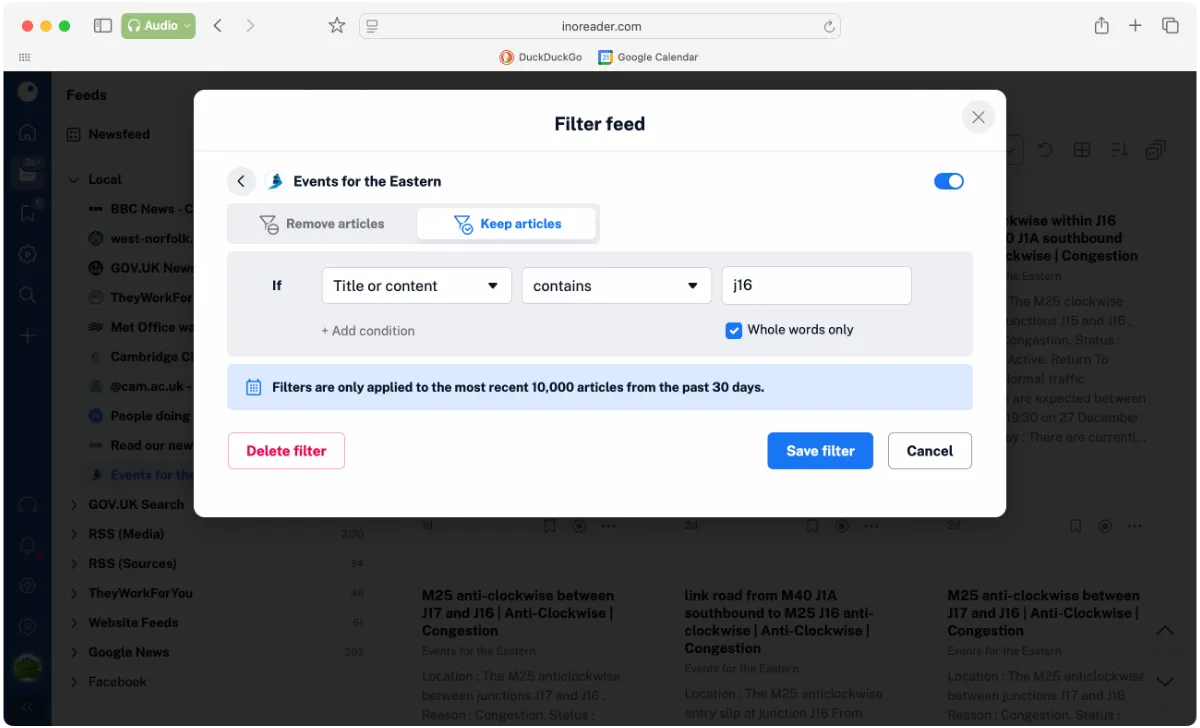
As a local media outlet we might only be interested in content for our city, but an RSS feed might cover a region or the whole country. A content filter can be applied to a feed to allow articles based on a keyword - like a motorway junction or city name.
The distribution features can be useful too, with the ability to create a custom RSS feed from a tag or folder in the account, or workflows created with a Zapier account to link other apps.
API access could be useful if you want to bring feed items into your own internal app or scripts, but want to leverage inoreader to gather the content and get it into a consistent format.
Conclusion
Using an RSS feed reader to follow websites and posts on other platforms is a great way to bring content together in a single place. Some organisations will only publish information on a social network without an API or feeds, or will only send updates by email, but a feed reader can still be useful for keeping across multiple sources of information.
It is worth checking on feeds occasionally and ensuring that all are still getting updates. An organisation might have changed their website or migrated to another social platform or account, and it will be necessary to find and follow the new feed.